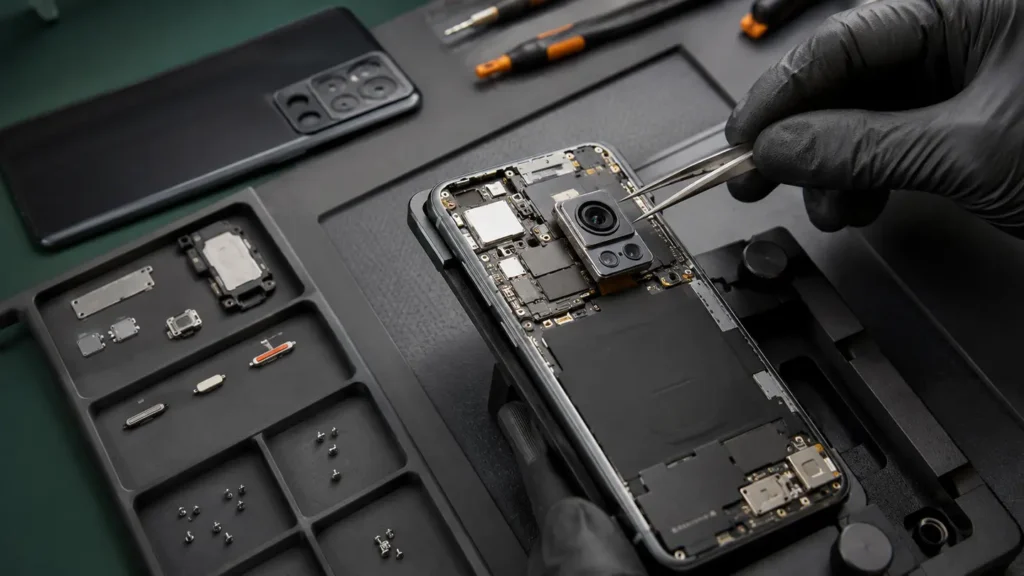
A phone camera can fail in several different ways after an impact. Some customers notice a permanently blurry image. Others see the picture shaking, hear a buzzing sound, get a black camera preview or find that one lens works while another does not. Those symptoms are useful because they do not all point to the same part.
The key is to separate external lens damage, contamination, camera-module failure, stabilisation problems, connector faults and software behaviour before replacing anything. A cracked camera lens cover does not automatically mean the camera module itself is broken, and a blurry image is not always solved by cleaning the glass.
First, identify exactly which camera is affected
Modern phones can have several rear cameras plus a front camera. Open the camera app and test each available zoom level or lens mode. Try the front camera too. If one lens is clear but another is black or badly blurred, write that down. It gives a technician a much better starting point than “the camera is broken”.
Take a photo of something close, then something across the room. Record a short video. If the fault appears only when switching lenses, only at a particular zoom level or only during video, that pattern matters.
Why a camera can start shaking or buzzing
Many premium phones use optical image stabilisation or sensor-shift technology to reduce blur from hand movement. These systems involve controlled movement inside the camera assembly. A hard impact can damage the mechanism or leave it unable to stabilise correctly.
The result can look dramatic: the preview shakes continuously, the image jumps, focus hunts back and forth, or a buzzing or clicking sound appears when the camera opens. It is usually better to stop repeatedly forcing the camera to refocus and have the fault checked rather than hoping the mechanism will “settle”.
A magnetic accessory can also affect some camera systems, so remove unusual mounts, magnetic rings or cases during testing. If the problem disappears without the accessory, that is useful information and may avoid unnecessary repair.
Blurry camera: lens glass or camera module?
The external lens cover is separate from the camera module underneath. If the cover is cracked, dirty or scratched, photographs may show haze, light streaks or soft focus. Dust can also enter through broken lens glass.
However, if the outer glass looks intact and cleaning it gently with a clean microfibre cloth makes no difference, the problem may be inside the module. A camera that never locks focus, produces repeated focus pulsing or is sharp only at one distance needs a proper test.
Do not use abrasive polish, liquids or sharp tools around the lens. Scratching anti-reflective coatings or pushing debris toward a broken opening can make the problem worse.
What a black camera preview can mean
A black camera screen is different from a blurry image. It may be caused by a software problem, a failed camera module, a damaged connector or a board-level issue. If the front camera works but the rear camera remains black, or only one rear lens fails, that distinction helps narrow the path.
Restarting the phone once is a reasonable basic test if the device is otherwise healthy and your data is safe. Also check whether the camera works in another trusted app. If every app shows the same failure, the issue is less likely to be limited to one application.
Avoid repeated resets or software restores when the fault started immediately after physical impact. A restore can consume time and risk data while doing nothing for a physically damaged camera.
Test related functions after a drop
Camera damage rarely exists in isolation when the impact was severe. Check the flashlight, microphones during video, Face ID or face-unlock where relevant, rear glass, camera surround and wireless charging. If the frame is bent near the camera area, that information is important before a repair is authorised.
On some devices, camera behaviour can also interact with software calibration or parts history. That is another reason not to treat every camera fault as a simple “swap the module” job.
What should a professional camera diagnosis include?
A useful camera assessment starts with the exact model and reported event. The technician should test each lens, front and rear cameras, focus at different distances, video, flash where relevant and image quality under more than one lighting condition.
If the lens cover is damaged, the technician should determine whether the camera underneath is still producing a clean image. If the camera is shaking, the test should establish whether the stabilisation fault is isolated to one module. If the preview is black, the repairer may need to check connectors or board signals rather than assuming the camera itself is dead.
The customer should receive a clear repair route and price before material work begins. If inspection reveals a second fault, additional work should be explained and authorised rather than silently added.
Will replacing a camera delete my photos?
Normal camera hardware repair is not intended to erase your data. However, any faulty device carries some data risk, especially after a hard impact or when board-level work is needed. Back up important photos, messages, authentication information and work files whenever the phone is still stable enough to do so.
Do not send account passwords or passcodes through an ordinary repair enquiry. If access is genuinely needed for testing, agree an appropriate method with the repairer.
Can I keep using a phone with a cracked camera lens?
If only the outer camera glass is cracked and the camera still works, the phone may continue operating, but delaying can allow dust and moisture to reach the module. Sharp fragments around the camera surround can also move. Keep the area protected from debris and avoid exposing it to moisture.
If the phone is bent, unusually hot, swollen or showing other impact symptoms, treat it as more than a cosmetic camera issue.
Why local diagnosis can help with intermittent camera faults
Camera faults are often easier to demonstrate than describe. A customer can show the exact shaking, focus problem or black preview at the counter and explain what happened just before it started. That can save time compared with a vague “camera not working” mail-in form.
Phone Repair Bristol has walk-in options at Union Street in the city centre and Gloucester Road in Bishopston. Booking ahead is useful for less common models because the team can check the likely repair route and part availability before you make a special journey.
The goal should not be to promise a camera replacement before the phone is examined. The better approach is to prove whether the problem is lens glass, the camera module, a connector, software or the board.
Frequently asked questions
Why does my camera shake only at one zoom level?
Different zoom levels can use different camera modules. If the problem appears only when one lens is active, that is important evidence for diagnosis.
Can a cracked lens cover cause blurry photos?
Yes. Cracks, scratches, moisture or dust around the external lens cover can affect image quality. The camera module underneath may still be working, so lens and module should be assessed separately.
My camera works in one app but not another. Is that hardware?
Not necessarily. App permissions or software can cause camera problems. Test the main camera app and another trusted app before assuming the module has failed.
Can a camera fault be repaired the same day?
Some camera repairs may be possible the same day when the fault is confirmed, the correct part is available and workshop capacity allows. Complex board, liquid or multi-fault cases can take longer.
The practical next step
If your phone camera became shaky, blurry, black or unreliable after a drop, record which lens is affected and whether the problem changes with zoom, focus distance, video or accessories. Back up important data, avoid DIY work around broken lens glass and arrange a diagnosis based on the symptom rather than ordering a part by guesswork.