Get your repair started in about 30 seconds
Fast local device repair from Fone Revive, with walk-in service at Union Street and Gloucester Road.
We repair all major devices
MacBook battery service warnings, poor runtime, shutdowns and swelling assessed alongside charging and power behaviour. A worn MacBook battery can reduce runtime and cause shutdown under load, while a swollen battery may lift the trackpad or distort the lower case. Charging faults and board-level power problems can mimic battery symptoms, so the charger and USB-C or MagSafe behaviour also matter. Bring the charger when the problem involves no charge, intermittent charge or shutdown while connected. On USB-C models, note whether every port behaves the same way. Physical swelling should be treated promptly and the machine should not be forced closed if the case or trackpad is lifting. A healthy replacement battery can extend the useful life of a MacBook that otherwise performs well. If the display, keyboard, charging system or logic board also needs major work, compare the combined repair with the specification and replacement budget. Online times and initial estimates help planning but remain provisional until the device, required part and current workload are checked. Material additional work should be approved before the agreed scope or total is increased. Keep the booking reference and invoice, test the relevant functions promptly and follow any care advice. If a related problem returns, contact the shop before another party opens or alters the device so the applicable warranty can be assessed. Start typing an iPhone, Galaxy, Pixel, Huawei, MacBook, laptop, tablet or console model. Can’t find it? Type the model manually in the booking form or bring it in for identification. Stop using a swollen laptop battery and do not press a distorted case back together. Search by the name written on the device, box or settings screen. Choose the symptom and add anything useful in the booking notes. Select Union Street or Gloucester Road and a preferred slot. Receive a reference, then our team confirms the appointment. If your question is not here, call, email or message the team. Yes. Expansion can lift the trackpad or distort the lower case. Do not force the case closed or continue charging a visibly swollen battery. Yes when the complaint includes charging or shutdown, because the charger, cable, port and power path can create symptoms similar to battery failure. The exact model, reported symptom, visible condition and related functions are checked before a repair route is confirmed. Testing helps avoid replacing a part that does not address the cause. Model variant, part choice, stock, frame or housing condition, previous work and additional faults found during inspection can affect price. Material changes should be authorised before work continues. Common repairs may be available the same day when parts and capacity allow. Complex diagnosis, liquid damage, data work and board repair generally need longer. Back up important data where possible, identify the exact model and note liquid, impact, previous repair and intermittent symptoms. No. Walk-ins are welcome at Union Street and Gloucester Road. If you book online, choose the store you intend to visit and continue in that branch’s booking system. No. Broadmead / Union Street and Gloucester Road have separate booking destinations so each store receives its own bookings directly. The Phone Repair Bristol booking page simply helps you choose the correct branch. Questions to ask about diagnosis, parts, timing, warranty, data and collection before authorising a repair. A realistic guide to same-day repairs, diagnosis time, part availability, workshop queues and final quality checks. A practical guide to finding iPhone, Samsung, Pixel, iPad, MacBook and Windows laptop model information before requesting a repair quote. A better repair decision starts with the right information, not just a price. For charging, no-power and intermittent faults, the charger and cable being used can be part of the evidence. Bring them when agreed with the team. A data-critical MacBook or laptop may need a different diagnostic strategy from a machine where the operating system can safely be reinstalled. Corrosion, hinge damage, previous board repair and missing internal parts can change both feasibility and price. Accurate history helps the technician avoid repeating failed work. Consider the computer’s performance, software support, storage, battery, screen and overall condition—not just the headline cost of the current fault. Choose Broadmead / Union Street or Gloucester Road, then continue to that shop’s own booking system. Walk-ins remain welcome.
MacBook Battery Replacement Bristol
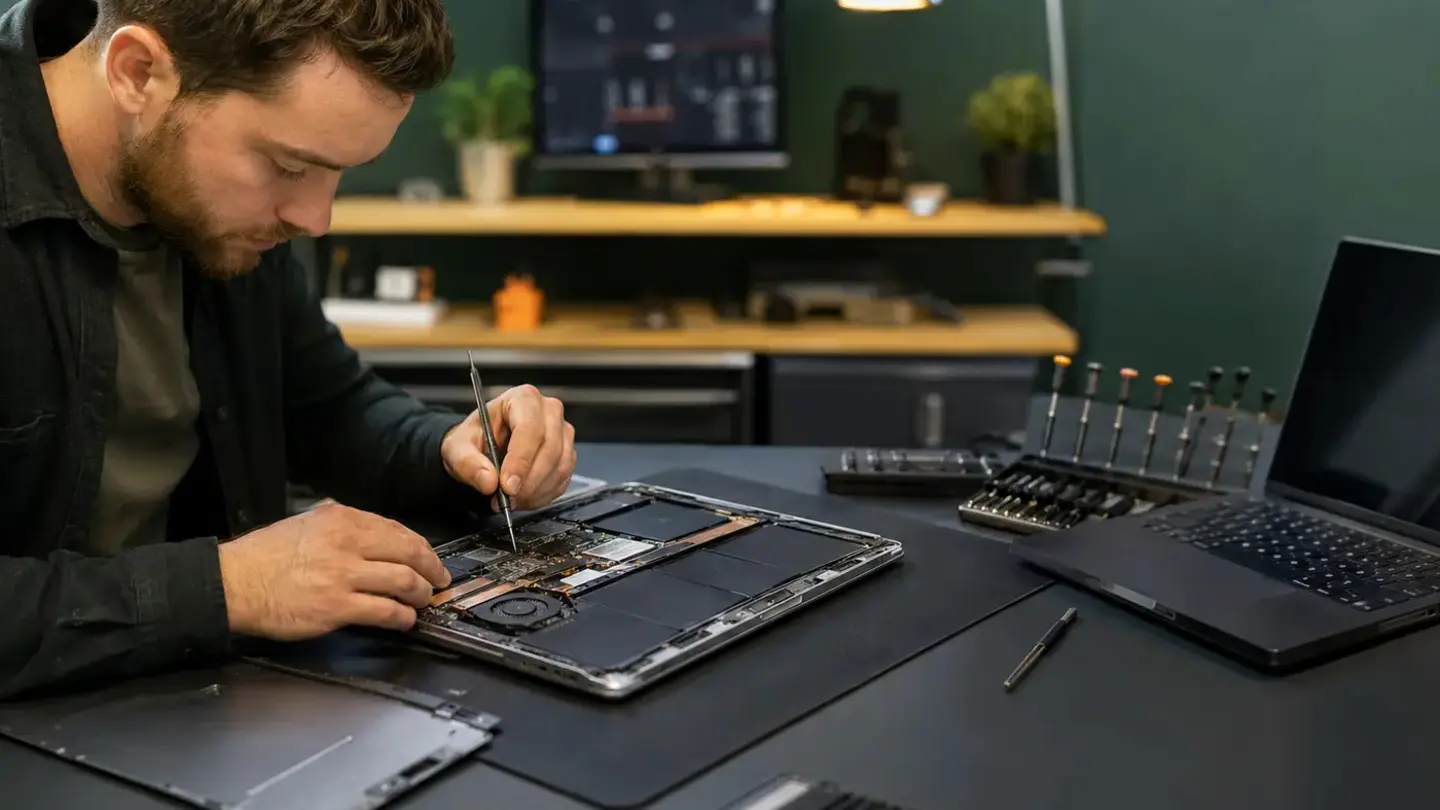
MacBook battery replacement in Bristol for poor runtime, service warnings and swelling
Battery value depends on the rest of the MacBook
Clear authorisation and realistic timing
Aftercare and repair records
Search your device model
Laptop battery checks
From fault to booked visit
Find your model
Tell us the fault
Choose shop & time
Get confirmation
Questions about macbook battery replacement
Can a swollen MacBook battery affect the trackpad?
Should I bring my charger for MacBook battery diagnosis?
How is macbook battery replacement diagnosed?
What can change the quoted price?
How long should I allow?
What should I do before booking?
Do I need an appointment?
Do both Bristol shops use the same booking system?
Helpful guides before you book

Choosing a Phone Repair Service in Bristol: A Practical Checklist

How Long Does a Phone Repair Take in Bristol?

How to Find Your Exact Phone, Tablet or Laptop Model Before Repair
The questions worth answering before a repair
Bring the power setup when relevant
Say whether the files are backed up
Describe liquid, drops and previous work
Compare repair with replacement realistically
Ready to get your device checked?