Get your repair started in about 30 seconds
Fast local device repair from Fone Revive, with walk-in service at Union Street and Gloucester Road.
We repair all major devices
A structured way to narrow down slow charging, loose connections, intermittent power and completely dead devices. A phone that will not charge does not automatically need a new port. The cable, adapter, debris, moisture detection, battery and board-level charging circuit can create similar symptoms. A few safe observations help a technician start in the right place. Try a compatible cable and adapter that reliably charge another device. Inspect for damaged insulation, bent plugs and excessive heat. Avoid repeatedly forcing a loose connector at an angle; this can damage the socket or board. If wireless charging works but wired charging does not, mention that during booking. Pocket lint can stop a plug seating fully, but pins are delicate and batteries sit close behind many ports. Do not insert needles, blades or liquid cleaner. If the port is burnt, green with corrosion, physically loose or becomes hot, disconnect it and arrange inspection rather than continuing home cleaning. Useful clues include whether the charge symbol appears, whether the percentage rises, whether a computer detects the phone and whether movement breaks the connection. Note recent impact, liquid warnings or repairs. A device that is completely dead may require power-supply and board measurements before any part is recommended. Replacing the most obvious part without testing can leave the original fault unresolved. A structured check begins with accessories and visual condition, then considers the battery, port assembly and charging circuit. Ask for the diagnosis and agreed price before additional work is authorised. Modern phones negotiate voltage and current with compatible chargers. Damage or contamination can leave slow basic charging working while fast charging no longer negotiates correctly. That symptom can point toward the cable, adapter, connector or charging electronics and is worth including in the booking. If wireless charging is reliable but wired charging fails, the battery can still be healthy enough to accept charge and the wired path deserves closer attention. If neither method works, the fault may be broader. This does not provide a complete diagnosis, but it helps prioritise the right measurements. Charging sockets contain small contacts and sit close to sensitive electronics. Metal needles, broken toothpicks, liquids and excessive force can damage pins or compact debris more deeply. If a plug no longer seats normally, professional cleaning or inspection is cheaper than turning debris into a physically broken port. This guide is general information, not a remote diagnosis. Stop using a device that is swollen, smoking, hissing, excessively hot or otherwise unsafe. If your question is not here, call, email or message the team. Yes, compacted debris can prevent a plug seating correctly, but cleaning must be done carefully to avoid pin or battery damage. The cause may be debris, cable wear, a loose connector or port damage. Continuing to bend the plug can worsen the fault. No. Walk-ins are welcome at Union Street and Gloucester Road. If you book online, choose the store you intend to visit and continue in that branch’s booking system. No. Broadmead / Union Street and Gloucester Road have separate booking destinations so each store receives its own bookings directly. The Phone Repair Bristol booking page simply helps you choose the correct branch. Eligible repairs include the warranty stated on the booking or invoice for the fitted part and related technical fault. New impact, liquid damage and unrelated faults are excluded. Most hardware repairs do not intentionally erase data, but data can never be guaranteed on a faulty device. Back up important information whenever possible. Questions to ask about diagnosis, parts, timing, warranty, data and collection before authorising a repair. A realistic guide to same-day repairs, diagnosis time, part availability, workshop queues and final quality checks. A practical guide to finding iPhone, Samsung, Pixel, iPad, MacBook and Windows laptop model information before requesting a repair quote. A better repair decision starts with the right information, not just a price. The complete model or model code helps the team check the correct part, expected repair route and availability before you travel. A useful quote explains the known work, part choice and what could still change after diagnosis. Extra work should not be added without authorisation. Maintain a current backup where possible and avoid sending passcodes or passwords through ordinary enquiry messages. Your booking reference and invoice make aftercare, warranty questions and future repair history much easier to understand. Book an assessment, message the team or walk in at either Bristol shop.
Why Your Phone Is Not Charging: Cable, Port, Battery or Board?
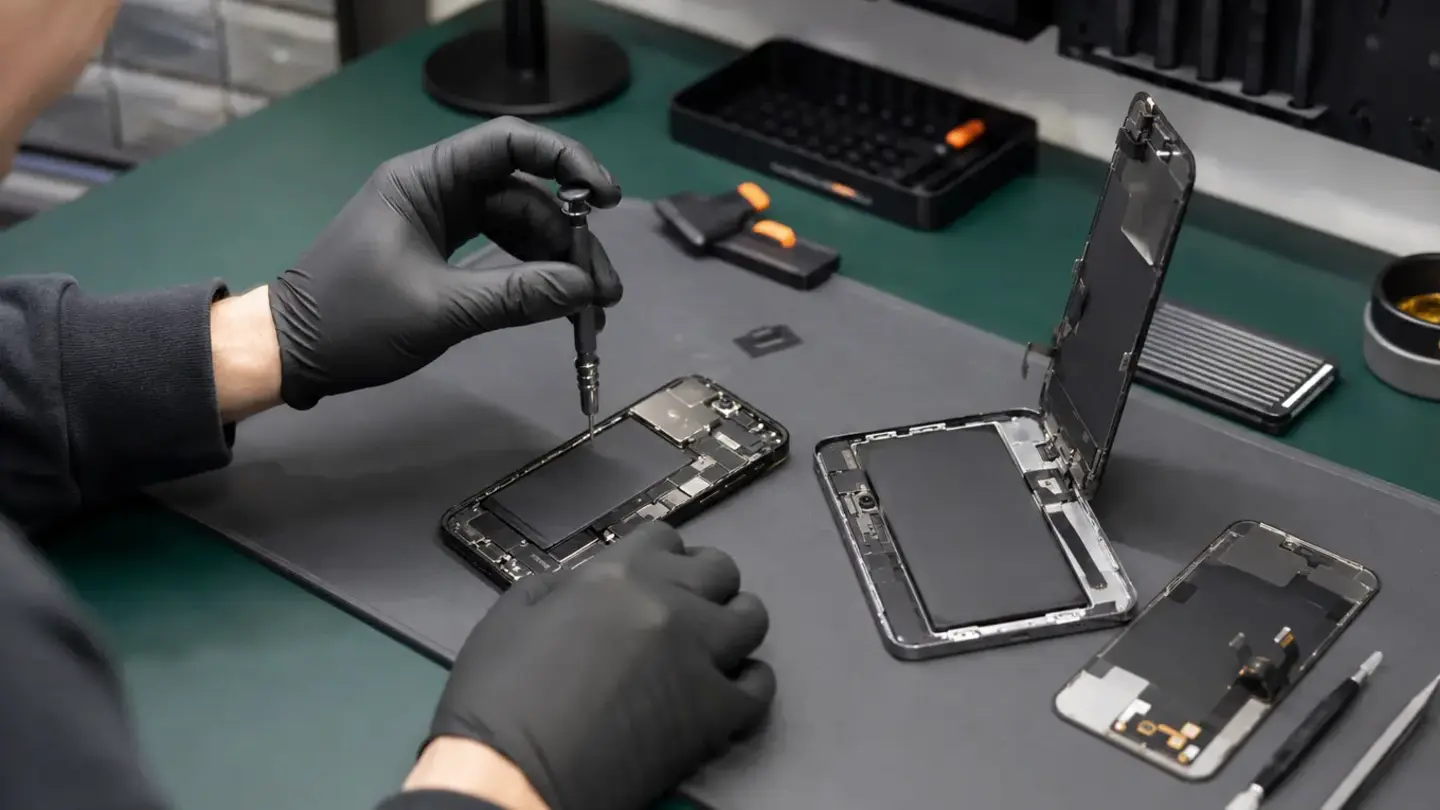
Begin with known-good accessories
Look into the port without metal tools
Observe the exact behaviour
Why diagnosis saves money
Fast charging can fail before ordinary charging fails
Wireless charging is a useful comparison test
Avoid aggressive DIY port cleaning
Questions about why your phone is not charging: cable, port, battery or board?
Can pocket lint stop charging?
Why does the phone charge only at an angle?
Do I need an appointment?
Do both Bristol shops use the same booking system?
What warranty applies?
Will I lose my data?
Helpful guides before you book

Choosing a Phone Repair Service in Bristol: A Practical Checklist

How Long Does a Phone Repair Take in Bristol?

How to Find Your Exact Phone, Tablet or Laptop Model Before Repair
The questions worth answering before a repair
Know the exact model
Understand the quote
Protect important data
Keep the repair record
Need help with this fault?